If you’re flying Air Canada in 2026, the Wi-Fi situation is a far cry from the laggy, overpriced mess it used to be. They’ve gone all-in on their partnership with Bell to bring fast, free streaming-quality internet to just about everyone as long as you’re a member of their Aeroplan loyalty program. It used to feel like a luxury reserved for the business cabin, but now it’s basically a standard perk for domestic and “Sun” destination hops. The rollout for long-haul international flights is hitting its stride this year, meaning those massive overseas journeys are finally getting the same free high-speed treatment. It’s a huge win for staying productive (or just distracted) without having to constantly watch a loading bar.
Does Air Canada Have Free Wi-Fi?
The answer is a solid yes, but you need to be part of their “inner circle” to get it. As of 2026, Air Canada has officially rolled out free high-speed Wi-Fi (sponsored by Bell) for all Aeroplan members. It used to be that you only got free texting, but they’ve finally opened the floodgates to full browsing and streaming. It’s a massive upgrade for those long hauls across Canada or down to the Caribbean, though they are still in the final stages of bringing this free service to every single long-haul international flight. If you aren’t a member, you’re looking at a flat fee, so it’s definitely worth the two minutes it takes to sign up before you board.
The Key Details
- Aeroplan is Your Ticket: The free Wi-Fi is exclusive to Aeroplan members. If you haven’t joined, you can sign up for free on the ground or even while in the air to get connected.
- Streaming Quality: This isn’t just for email; the connection is sponsored by Bell and is fast enough for Netflix, YouTube, or hopping on a work call (if your neighbors don’t mind).
- Where it Works: It’s currently active on nearly all flights within North America and to “Sun” destinations (Mexico/Caribbean). The free rollout for the rest of their global international routes is currently finishing up throughout 2026.
- One Device at a Time: Just a heads-up that you can only have one device active per Aeroplan account so if you switch from your phone to your laptop, it’ll bump the first one off.
- The Business Perk: If you’re flying in Business Class, you get the free access regardless of your loyalty status.
Read more: Air Canada Lap Infant Policy – Cost, Age Limit & Seat Rules
How Much Is Wi-Fi On Air Canada?
If you’re not an Aeroplan member, Wi-Fi on Air Canada can still put a bit of a dent in your wallet, though the pricing is pretty standard for the industry. For a quick check-in, you’re looking at about $6.50 CAD for an hour, but if you’re on a cross-country trek, the full-flight pass is usually the better call at around $21 CAD. Frequent flyers who spend half their life in the air often grab the monthly subscription for about $66 CAD, which covers all their domestic and North American hops. The truth is, paying for it feels like a bit of a “tax” now that free access is so common, so most people just take the two minutes to sign up for Aeroplan before boarding to skip the bill entirely.
Does Air Canada Have Wi-Fi?
Air Canada has really stepped up its game in 2026, making Wi-Fi a much smoother experience. If you’re an Aeroplan member, you now get free high-speed internet on almost all domestic and North American flights. It’s actually fast enough to stream your favorite shows or get some real work done without the lag we used to deal with. They’re also in the home stretch of bringing this free service to long-haul international routes. If you aren’t a member, you’ll still have to pay, so it’s definitely worth signing up before you board.
How To Save On Air Canada Wi-Fi Costs Using Credit Cards?
Saving on Air Canada’s Wi-Fi is actually a lot easier in 2026, though it’s less about a direct “Wi-Fi card” and more about playing your cards right. Since high-speed Wi-Fi is now free for all Aeroplan members on most North American flights, the absolute best way to save is simply ensuring your Aeroplan number is linked to your booking. However, if you’re on an unupgraded international route where they still charge a fee, you can use general travel credits from premium cards like the Amex Platinum to wipe out the cost. Some high-end Aeroplan cards also help you hit “Elite” status faster, which eventually unlocks unlimited annual Wi-Fi plans as a select benefit. It’s all about avoiding the “guest” checkout and using your membership.
Tips To Slash The Cost
- The Aeroplan Shortcut: Just sign up for Aeroplan (it’s free). Most domestic and “Sun” destination flights now offer free high-speed Wi-Fi exclusively for members.
- Redeem Points: You can actually pay for your Wi-Fi session using Aeroplan points directly through the acwifi.com portal, keeping your cash in your pocket.
- Travel Credits: Use cards like the American Express Platinum or other “lifestyle” cards that offer annual travel statement credits to reimburse Wi-Fi purchases.
- Elite Status Perks: If you hit 75K or Super Elite status (helped by spending on TD or CIBC Aeroplan cards), you can choose an unlimited 12-month Wi-Fi pass as one of your annual benefits.
- In-App Offers: Keep an eye on your Amex or bank app for “Amex Offers” or “Merchant Rebates” that specifically give you cash back for spending with Air Canada.
Read more: How Does Air Canada Booking Work? Fare Types, Baggage Policy & Cancellation Rules
What Are The Tips To Get The Best Wi-Fi Experience?
Getting the best Wi-Fi experience at 30,000 feet is all about beating the “shared pipe” problem. Even with the massive upgrades we’ve seen in 2026, you’re still sharing one satellite connection with a couple hundred other people. The trick is to do all your heavy lifting like updating apps, downloading large files, and syncing your cloud while you’re still on the ground. Once you’re in the air, you want to be as “lean” as possible. Turning off background refresh and pausing photo backups can make a world of difference.
- The “VPN Dance”: Once you’re fully connected and the “Success” screen pops up, toggle the VPN back on.
- Browser Hacks: If the login page won’t load, try typing neverssl.com or captive.apple.com into your browser to force the portal to wake up.
- Go Low-Res: If you’re streaming, manually set your video quality to 480p or 720p. Trying to force 4K at high altitudes is a recipe for constant buffering.
- Stay Updated: Make sure you have the airline’s app installed before you leave the gate; many carriers now require it for the best experience with their free entertainment and Wi-Fi portals.
How To Connect To Air Canada Wi-Fi?
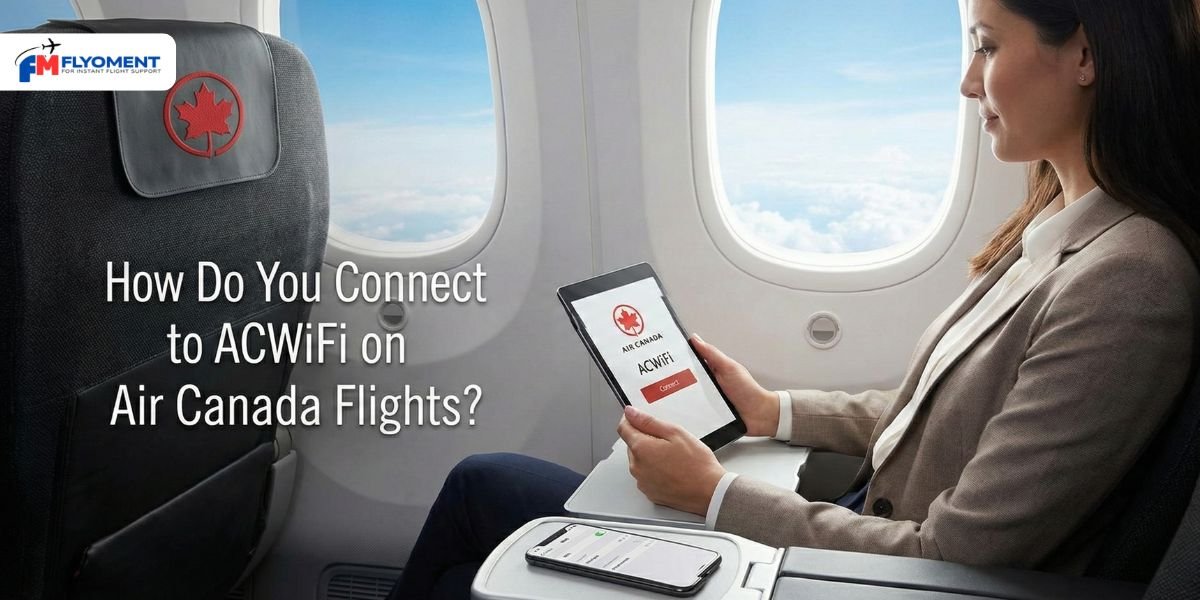
Connecting to the Wi-Fi on an Air Canada flight is pretty intuitive once you’re in the air. The biggest thing to remember is that you need to be an Aeroplan member to skip the payment screen, so make sure your membership number is actually attached to your boarding pass before you leave the gate. Once you’re at cruising altitude, just flip your device into Airplane Mode, toggle your Wi-Fi back on, and look for the network called “ACWiFi.” It should automatically pull up the login portal where you’ll enter your seat number and last name. If the page doesn’t pop up on its own, just type acwifi.com into your browser, and you’ll be surfing in seconds.
Step-by-Step Connection
- Airplane Mode First: Switch your device to Airplane Mode, then manually re-enable your Wi-Fi.
- Join the Network: Select the “ACWiFi” (or “RougeWiFi”) signal from your list of available networks.
- Access the Portal: Open any web browser and head to acwifi.com to launch the landing page.
- Log In for Free: Enter your last name and seat number. As long as you’re an Aeroplan member with your number on the booking, you’ll get free high-speed access.
- Troubleshooting: If the portal won’t load, try clearing your browser cache or typing neverssl.com to force the connection page to trigger.
Conclusion
To wrap things up, Air Canada has officially transitioned from treating Wi-Fi as a luxury to making it a core part of the Aeroplan experience in 2026. By leaning into their partnership with Bell, they’ve managed to roll out free, streaming-quality internet that actually keeps up with modern demands whether you’re gaming or on a video call. While the service is currently a standard perk across North America and “Sun” destinations, the big story for this year is the final expansion into their long-haul international routes. It’s a smart move that rewards loyalty while removing the frustration of “pay-to-play” connectivity. Just remember to have your Aeroplan number ready before you board, and you’ll find that staying connected at 35,000 feet is finally as seamless as it is on the ground.
FAQ
Q.1 How Much Does In-Flight Wi-Fi Cost?
Ans: Airplane Wi-Fi costs vary widely, from free on some airlines like JetBlue and Southwest (for some users) to $5-$10 for short flights (like United/American), and up to $20-$30 for full-flight access on longer trips.
Q.2 Does Air Canada Give Free Water?
Ans: On all flights, our beverage service offers a variety of choices, including red and white wine, select spirits and beer, Lavazza coffee, tea, a selection of soft drinks and juices, and water.
Q.3 How To Get Free Wi-Fi On Air Canada Flight Reddit?
Ans: As long as you have an Aeroplan account attached to your reservation, it will connect you to free Wi-Fi on your flight.
Q.4 Does Air Canada Have Free Wi-Fi?
Ans: Scroll, stream and stay connected with our fast, free in-flight Wi-Fi, available on most Air Canada flights and all Air Canada Rouge flights.